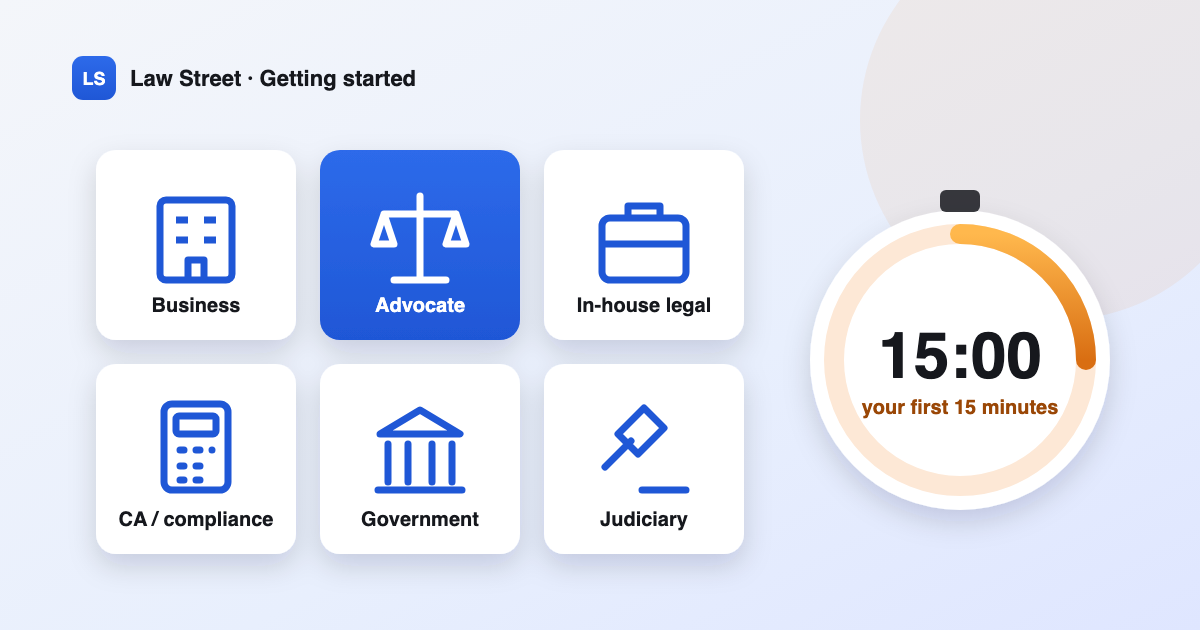
Law Street is one product with six workspaces. They share the same engine — matters, facts, deadlines, drafting, research, the counsel — but each one changes what you see first, what things are called and how the counsel talks to you. Picking the right one makes the product feel built for you; picking the wrong one makes it feel like someone else's tool.
This guide helps you choose, then gives you a plan for your first 15 minutes in the live demo.
What a workspace changes — and what it doesn't
A workspace sets four things:
- The menu. A business owner sees "Money owed to you", "Contracts" and "Notices & disputes" first; an advocate sees "Cases", "Hearings & dates" and "Billing"; a public information officer sees the "RTI desk".
- The home page. Each workspace opens on a different set of panels: debtors and deadlines for a business, the week's hearings for an advocate, the cause list for a court, due dates for a CA.
- The words. A matter is an issue for a business, a case for an advocate, a file for a government office and an assignment for a CA.
- The counsel's stance. For a business it speaks money, time and risk; for an advocate it is a precise, procedural colleague; for a judicial officer it is a strictly neutral research assistant that will not predict the outcome of a case before the court.
What a workspace does not change is what you are allowed to see. That is decided by your role and by access to each matter, and it is checked on the server for every page. Switching workspace never grants access to anything.
Which workspace fits you?
| If you are… | Choose | You'll start with |
|---|---|---|
| A founder, owner or business manager | Business | Money owed to you, contracts, notices, the compliance calendar and the Decision lab |
| An advocate or a law firm | Advocate | Cases, hearings and dates, clients, time and billing, research and drafting |
| A company's legal or secretarial team | In-house legal | The contract register, compliance, licences, notices and the risk and outcome lab |
| A chartered accountant, company secretary or compliance professional | CA / compliance | Clients, due dates, department notices and exact calculators |
| A government department or public authority | Government office | The RTI desk, notices and replies, files and statutory deadlines |
| A judicial officer, law clerk or court staff | Judiciary | The cause list, case files, orders and neutral research |
Some people wear more than one hat — a founder who is also a CA, an in-house counsel who also runs operations. You can hold several workspaces and switch between them from the top bar; the data underneath is the same.
Before you start: the live demo
The live demo is free and needs no sign-up. On the sign-in page, open the list of demo personas and pick one. Each persona is synthetic and opens in its own workspace:
| Demo persona | Organisation (synthetic) | Workspace |
|---|---|---|
| Rohan Deshpande, founder and managing director | Sahyadri Components Pvt. Ltd. | Business |
| Adv. Meera Iyer, advocate | Sahyadri Components (retained counsel) | Advocate |
| Kabir Shah, head of legal | Sahyadri Components Pvt. Ltd. | In-house legal |
| CA Sameer Kulkarni, chartered accountant | Sahyadri Components (retained CA) | CA / compliance |
| Suresh Patil, public information officer | Pune Municipal RTI Cell | Government office |
| A civil judge and a law clerk | District Court Research Cell, Pune | Judiciary |
Two things to know about the demo. It is shared: other visitors use the same personas, so please don't type real names, client details or case facts into it. And the counsel's answers in the public demo come from Law Street's deterministic fallback unless a model provider has been configured — useful for seeing the workflow, but plainer than a model's answers. The chat's inspector shows which answers used a model and which came from the fallback.
Your first 15 minutes
Minutes 0–3: read the brief
Sign in and stay on the home page. Read the counsel's brief at the top: a short list of what needs attention, each with a next move — a deadline inside a week, a cheque-bounce notice window, a draft resting on an unconfirmed fact, an approval waiting. The brief is built by rules that re-read your records every few minutes. It never sends, files or changes anything; it just tells you.
Minutes 3–8: open the one screen that matters most to you
| Workspace | Open | Look for |
|---|---|---|
| Business | Money owed to you | Debtors by age, and the recovery options listed against the worst one |
| Advocate | Hearings & dates | The week's board by court and item number, and "Record what happened" |
| In-house legal | Contract register | Contracts with notice deadlines coming up |
| CA / compliance | Due dates | This week's filings across clients, and what "filed" requires |
| Government office | RTI desk | Each application's deadline, and the assumptions behind it |
| Judiciary | Cause list | Today's board by court hall and item |
Then open one matter — a case, an issue, a file — and look at its Facts & evidence tab. Each fact shows where it came from and whether a person has confirmed it. That idea — nothing counts until a person confirms it — runs through the whole product.
Minutes 8–12: ask the counsel one real question
Open the counsel (it's called "Ask your counsel", "Ask a senior", "Ask the legal cell" or "Research assistant", depending on the workspace) and try one of the suggested prompts, such as:
- Business: "Who owes me money and what should I do about it?"
- Advocate: "What's listed this week and what's pending for each?"
- In-house: "Which contracts renew or expire in the next 60 days?"
- CA: "Compute TDS on a ₹4,50,000 professional fee payment."
- Government: "Which RTI applications are due for reply this week?"
- Judiciary: "Summarise the pleadings and list the admitted and disputed facts."
Notice how the answer ends — with Next moves, and for a dispute, What they'll likely do (or, in the Judiciary workspace, Points for determination). Calculations go through exact calculators that show their working.
Minutes 12–15: look behind the curtain
Finally, open a matter's Activity tab — the Flight Recorder — or Trust & audit. You'll see every model call, tool run, validation and human decision, and the record of any data sent to an outside provider. This is what "glassbox" means in practice: when Law Street relied on something, you can see what.
Switching, and what to try next
- Switch workspace from the top bar if you hold more than one, or revisit "Who are you?" to change your choice.
- Try the Outcome Lab on a dispute to compare options with simulation (Business, Advocate and In-house workspaces).
- Browse the template library — 24,807 templates in English, Tamil, Gujarati, Marathi and Hindi — and fill one from a matter.
- Open Learn for step-by-step tutorials inside the app.
When you're ready to use Law Street for real work, request early access. Accounts open once Law Street is hosted in India.
Law Street provides legal information, not legal advice. The demo contains synthetic data only.